Attention Divided Between Participation and Documentation
AI note-taking frees attention from split focus during meetings.

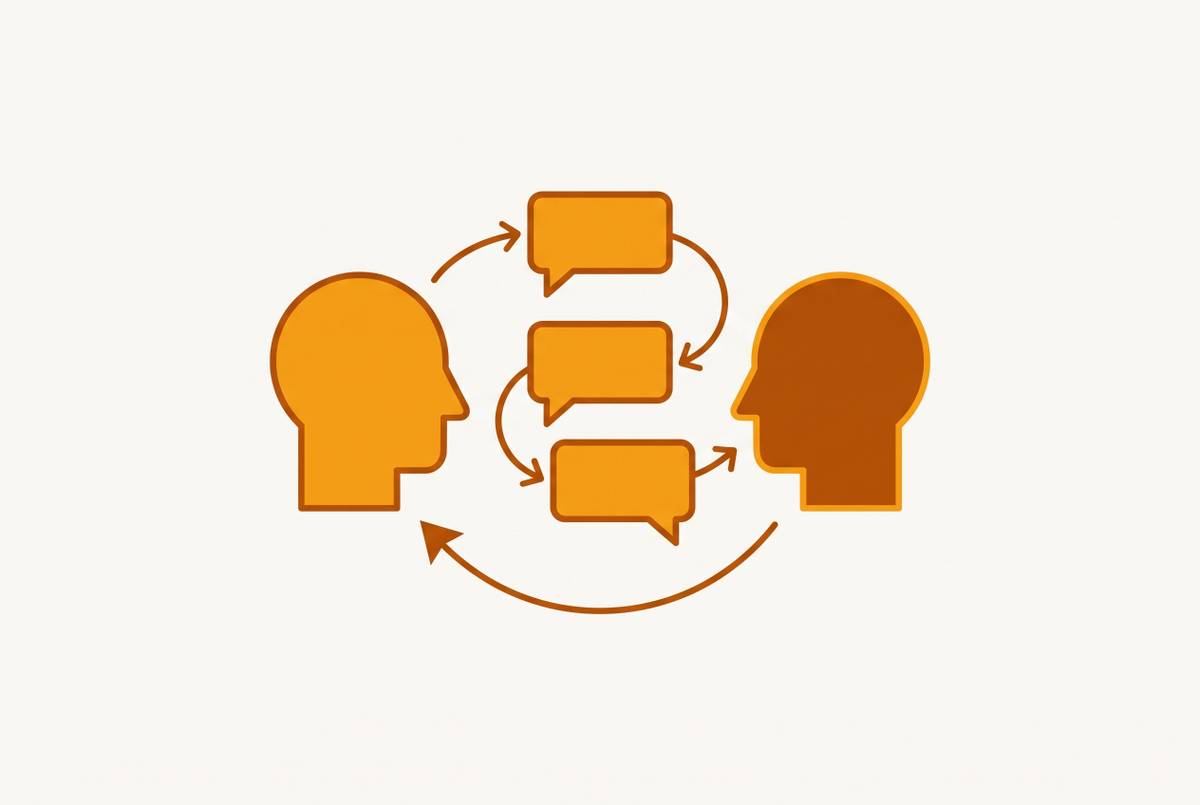
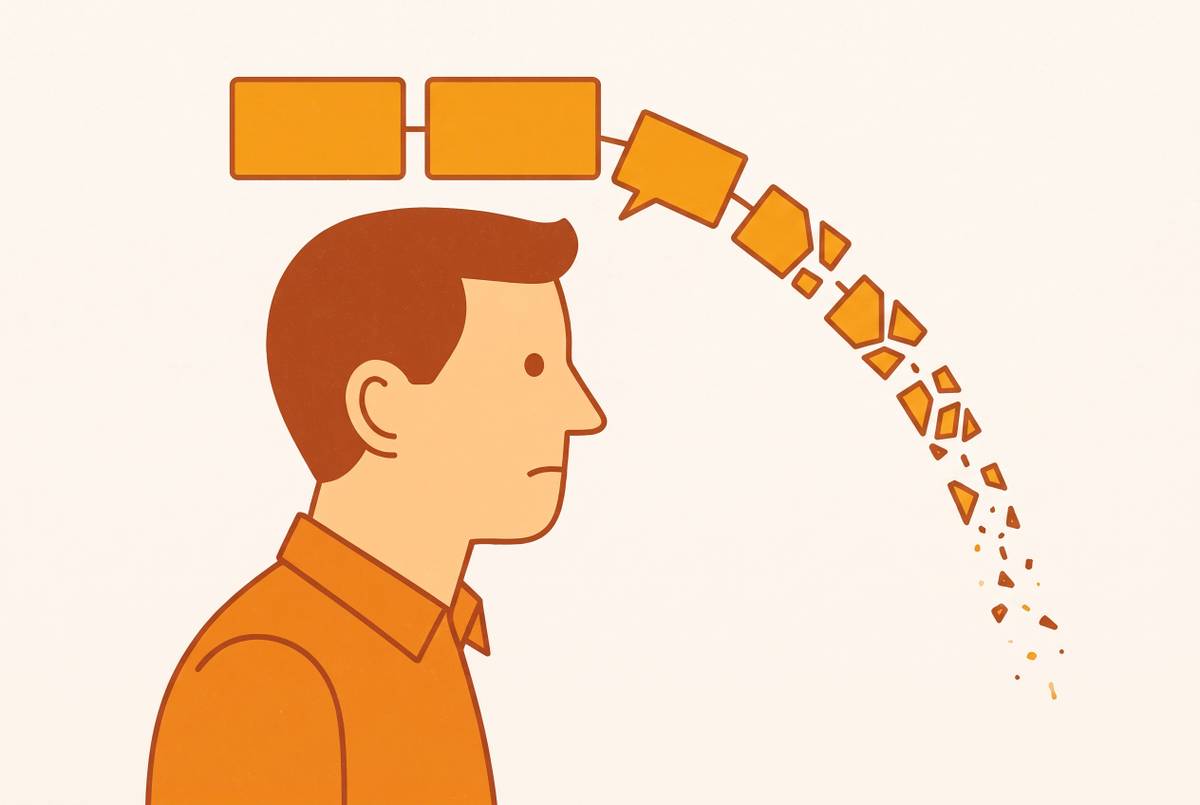
Meetings are the workday, not an occasional interruption to it. They are the workday. Research puts the average professional at 31 hours a month in meetings, and other benchmarks have found employees spending a substantial portion of their week in them. That's a quarter to a third of a working week spent in exactly the setting where attention gets split between participating and documenting. Splitting attention is where the real damage happens: the brain doesn't run two cognitive tasks in parallel so much as switch rapidly between them, paying a tax on every switch.
That tax appears first in what never makes it into text at all. A hesitation before answering a hard question, an aside that wasn't meant to be a commitment, a shift in tone that says more than the words themselves: none of that survives translation into a bullet point, and none of it gets captured if the person taking notes was mid-sentence when it happened. Contribution quality falls off a cliff too, since it's hard to push back on a point, ask the clarifying question that actually matters, or read the room while composing a sentence about what was said three exchanges ago. Whatever wasn't captured in the room starts fading from memory the moment the call ends, on the same forgetting curve documented back in the 19th century, which suggests people lose up to 70% of new information within 24 hours absent reinforcement.
The arithmetic gets worse from there. Research suggests only a minority of meetings end with a documented decision. Flip that number around and the majority of meetings, the ones where real conversation happened, produce nothing that survives past the call. Decisions get made out loud, commitments get spoken, and most of it evaporates before anyone can act on it. Call it organizational amnesia: companies generate more meeting hours, more conversation, more raw material for decision-making than at any point before, and retain a shrinking fraction of it. Not because anyone is careless, but because the system for capturing it depends on a human doing two incompatible things at once.
The cost doesn't land evenly, either. Sales teams, founders, consultants, customer success reps: these roles are built almost entirely out of meetings, and an undocumented commitment or missed buying signal has a direct line to lost revenue or lost trust. Telling someone to focus harder or take better notes misreads the problem. If the failure sits in the architecture of attention itself, the fix has to sit there too, not in willpower, and definitely not in a reminder to try harder next time.
What AI meeting notes actually are and produce
Strip away the marketing and the definition is plain: software that listens to a meeting, live or recorded, transcribes what's said, and runs a language model over that transcript to pull out what matters. A finished output delivers three things. There's the verbatim transcript, the complete record of who said what. There's a structured summary, the decisions and key points condensed to something readable in under a minute. And there are action items, tied to owners and deadlines, formatted so they can travel to wherever work actually gets tracked.
A raw transcript alone is not an AI meeting note, and treating it as one misses the whole point of the exercise. Without synthesis it's still a wall of text somebody has to parse by hand. AI notes also differ from meeting minutes in the formal, legal sense: minutes get curated, reviewed, sometimes signed off on, and can carry legal weight in certain contexts, while AI notes are operational documents meant for speed and internal use. None of this replaces judgment. The software captures what happened; a person still decides what matters and what to do about it.
The efficiency case is not marginal: this is the single clearest win in the category, ahead of every other feature vendors advertise. Research from Convene and Azeus puts the time savings from AI transcription at roughly 80 to 90% compared to manual note-taking. That doesn't just save time, it changes what a meeting is for. Instead of splitting a chunk of every call between participating and transcribing, a person spends the whole meeting on one task. The permission that grants makes it possible to be fully present in a room, because documentation no longer competes for the same attention the conversation needs.
How the technology converts spoken conversation into structured output
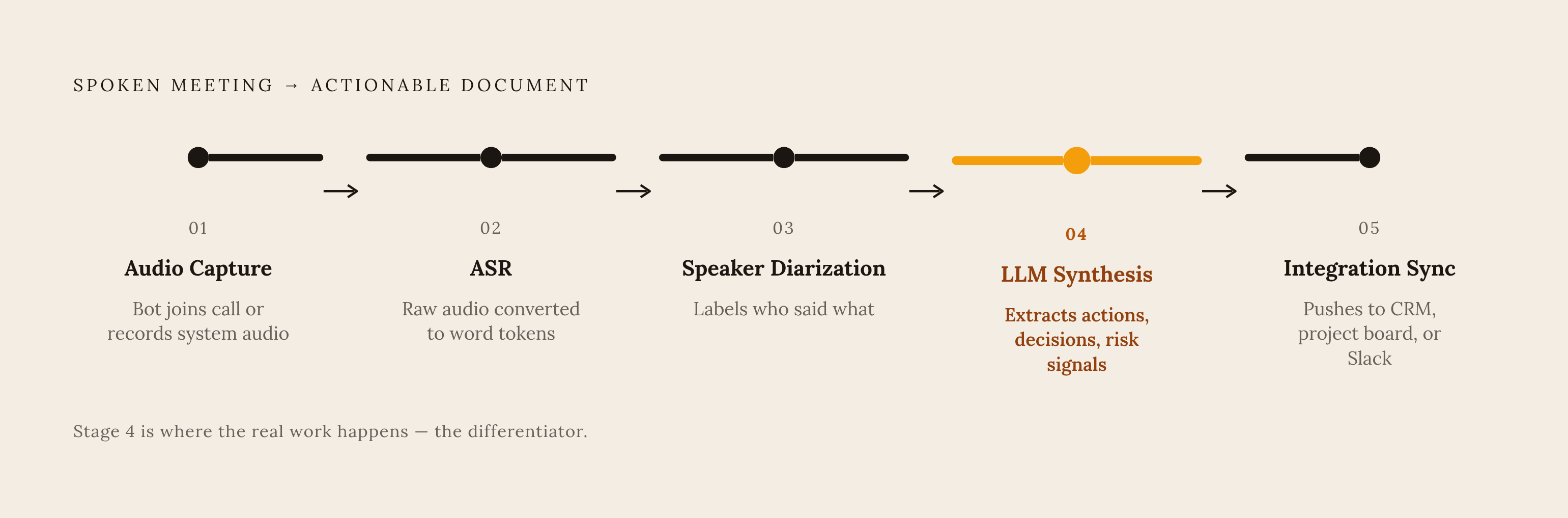
A five-stage pipeline produces the finished note, and each stage solves a distinct problem.
Audio capture comes first. Either a bot joins the call as a visible participant, or software running on the device captures system audio directly, no separate participant required. From there, automatic speech recognition (ASR) turns raw audio waveforms into word tokens, handling background noise, accents, and the acoustic mess of a normal conversation. Speaker diarization follows, separating and labeling who said what, which matters enormously once a call has more than two or three people talking over each other.
The fourth stage is where the real work happens, and it's also where most vendors differentiate themselves even though they market the first three stages instead. An LLM synthesis layer takes the raw transcript and turns it into something usable: it extracts action items, flags decisions, and surfaces risk signals or commitment statements buried in casual language. This is what turns a transcript into a document someone can act on without re-reading the whole thing. Last comes integration sync, pushing that finished output into the tools where work actually lives, such as a CRM record, a project board, or a Slack channel.
Accuracy across this pipeline has mostly stopped being interesting. Tools tested through 2026 mostly run in the 90 to 95%+ range for English audio, so transcription quality has effectively been commoditized. What still varies is background noise, accents, and domain-specific vocabulary, and the better tools let organizations load custom dictionaries for jargon and acronyms. Buyers who spend their evaluation budget comparing transcription percentages are optimizing the wrong variable. The real differentiator sits downstream of transcription entirely, in what the LLM layer produces from the words and where that output goes next.
The two capture architectures and their costs
Two fundamentally different approaches exist for getting audio out of a meeting, and most teams pick one without understanding what they're trading away. That's a privacy decision made by default, usually by whichever tool showed up first in a Slack recommendation, and not a small oversight. It's a privacy decision made by default, usually by whichever tool showed up first in a Slack recommendation.
Bot-based capture sends a virtual participant into the video call. It joins the link, typically announces that it's recording, and processes audio on a cloud server elsewhere. It's visible by design, so everyone on the call sees a record is being made without anyone having to say so out loud, and it needs no special permissions on any individual's device since it connects through the meeting platform's own API. Audio gets processed and often stored remotely, which raises its own questions about where that data lives afterward and who can pull it later.
Device-level capture takes the opposite approach. The application pulls system audio straight from the computer, no external bot, no separate entry in the participant list. It works across whatever platform happens to be playing audio through the machine, whether that's a video call, a huddle, or a conferencing tool, and it needs no admin permissions on the platform's end at all. Some implementations delete the raw audio immediately once transcription finishes, so no recording persists remotely, which changes the privacy calculus considerably.
Bot-based capture earns its place in high-volume documentation where someone might need to go back and listen to actual audio later: a sales call under dispute, a legal consultation. Device-level capture earns its place where discretion and presence shape whether people speak freely: an internal strategy conversation, a sensitive one-on-one. Defaulting to whichever architecture is easiest to install, rather than the one the meeting actually calls for, is the mistake.
Consent, compliance, and the law's actual requirements before you record
None of this operates outside the law, and the law does not care what the recording technology is called. Recording a private conversation triggers consent, disclosure, and privacy obligations regardless of whether a human hit record or an AI notetaker did. The statutes predate this technology by decades. AI tools simply inherit the same rules, and plenty of teams adopt them without checking that inheritance first.
In this country, the picture is a patchwork. As of 2025, all-party consent, which requires every person on the call to agree before recording, applies in California, Connecticut, Florida, Illinois, Maryland, Massachusetts, Michigan (where the law remains unsettled), Montana, New Hampshire, Pennsylvania, and Washington. When participants sit in different states, the most conservative applicable law wins: one participant dialing in from California means California's all-party standard governs the entire call, regardless of where anyone else sits. Teams that assume their home state's rule applies to everyone on the call are simply wrong, and that single assumption is the most common compliance failure in this space, full stop.
Beyond state law, organizations handling meeting data at scale run into enterprise compliance frameworks: security and data protection frameworks when participants from a particular region are involved, HIPAA in healthcare settings, and federal authorization requirements for anything touching government work. The practical floor, regardless of jurisdiction or framework, is simple. Tell participants a transcript is being made. That's both the legal minimum in most places and the trust minimum everywhere.
Tools handle disclosure differently depending on architecture: some through a visible bot in the participant list, others through an automatic chat notification or an on-screen watermark. Each choice sets a different default for how obvious the recording is to everyone in the room, and that's not a feature to bolt on after adoption. Meeting content routinely includes pricing details, personnel discussions, and unreleased strategy, so security posture needs evaluating before a tool goes into use, not after something sensitive has already been recorded and stored somewhere nobody thought to check.
How AI meeting notes move from the call into the tools where work happens
A note that stays trapped inside a meeting tool has done half its job. An action item that never reaches the CRM, the task board, or the relevant Slack channel is, for practical purposes, indistinguishable from an action item that was never captured at all.
The typical pipeline into a CRM works like this: the notetaker joins the call, produces a transcript and summary, and pushes that summary into the matching contact or deal record automatically. HubSpot and Salesforce sit at the center of most of these integrations, since they're the systems sales and customer success teams already live in. RevOps teams learn the hard way that a note attached as a generic activity log stays readable only by a human scrolling through a record, while a note mapped into structured fields becomes filterable, reportable, and usable inside automated workflow rules. A note attached as a generic activity log is readable by a human scrolling through a record. A note mapped into structured fields is filterable, reportable, and usable inside automated workflow rules. Most tools default to the former, which looks like integration but functions more like filing, and that gap is exactly where a lot of "we already have an AI notetaker" teams are quietly losing the value they paid for.
Common failure modes occur at exactly this seam. Mismatched attendee emails create duplicate contact records instead of updating the right one. Tasks get mapped to the wrong deal. Missing records in the CRM don't get handled gracefully, so the sync fails silently instead of flagging the gap. None of these are exotic edge cases. They're the routine friction of connecting two systems that weren't built with each other in mind.
The integration surface extends well past CRM. Post-meeting workflows inside platforms like Zoom's AI Companion can trigger recap emails and team updates automatically, without anyone leaving the tool they're already in. Zapier-style connectors open a path into thousands of other apps, though that flexibility comes with a catch: meaningful automation, sentiment tracking, custom triggers, requires someone actually configuring the workflow rather than flipping a switch. Baseline expectations for 2026 have solidified around action item extraction, CRM integration, workflow automation before and after the meeting, consent management, and capture that works across whatever platform the meeting happens to run on. A tool missing any of those isn't keeping pace, full stop.
What accumulated meeting data becomes when preserved and connected
One meeting, documented well, is useful for a week. Hundreds of meetings, documented consistently over months, become something closer to a knowledge layer: a structured record that teams and systems can draw on long after anyone remembers the specific call where a decision got made.
That's the real definition of organizational memory. A persistent layer that lets systems retain, connect, and apply collective intelligence across teams and tools, accumulating context as decisions and outcomes unfold rather than sitting frozen the moment a meeting ends. Research from Brandon Hall Group puts new-hire ramp time at enterprise companies somewhere between six and twelve months before someone reaches full productivity. Organizational memory attacks that timeline directly, giving a new hire instant access to why a decision was made along with what the decision was.
It also solves a subtler problem: the relitigating of settled questions. Teams without meeting memory tend to revisit debates that were already had and already resolved, because nobody remembers there was a post-mortem eighteen months ago that explained why an approach was abandoned. A system that can surface that history changes institutional knowledge from something a few senior people carry in their heads into something anyone can query. It also changes how distributed teams work: someone in a different time zone doesn't need to join a call at midnight if a complete, structured note lets them review and respond asynchronously instead.
The frontier is shifting from passive to active. Rather than waiting for someone to search an archive, newer systems are starting to surface relevant past context unprompted and nudge people about commitments before deadlines slip past. Venture funding into AI knowledge management startups has been reported rising roughly 40% year over year, a signal that investors are treating meeting-derived organizational memory less like a convenience feature and more like an asset class in its own right.
How MCP connects meeting data to the AI assistants people already use
Even a highly capable AI model is only as useful as the data it can reach, and meeting transcripts have historically sat locked inside whatever tool generated them, siloed from the assistants people actually work with day to day.
Model Context Protocol, MCP, is an open standard built to solve exactly that isolation. It connects AI applications to external data sources, tools, and workflows through one common protocol, functioning something like a universal port: build a connector once, and it works across AI applications instead of requiring a custom integration for each one. The protocol started at Anthropic, and OpenAI adopted it during 2025, so a server built for one now serves both Claude and ChatGPT without separate rewrites for each.
Adoption has moved fast, faster than most infrastructure standards do. By December 2025, MCP SDKs were seeing over 97 million monthly downloads across all languages, with more than 10,000 active MCP servers running in production, and support built into tools ranging from VS Code and Cursor to major cloud platforms. That same month, Anthropic donated MCP to the Agentic AI Foundation under the Linux Foundation, a governance move meant to keep the standard neutral and stop it from being tied to any single company's roadmap.
Meeting tools have started building on top of this directly. Official Claude connectors have appeared for meeting-notes products, using browser-based OAuth and read-only access, letting a user ask an assistant to search across past meetings or pull the key points from one specific call. Enterprise deployments of this kind typically ship with that access disabled by default until an administrator turns it on, a sensible default given how sensitive meeting content tends to be. Saved-prompt libraries, sometimes bundled as pre-written "recipes," combine meeting notes with an assistant like Claude or ChatGPT through MCP so a user can ask something like "what did the customer say about pricing across the last three calls" and get an answer pulled straight from the meeting corpus, instead of reopening and rereading three separate transcripts.
Structurally, this turns meeting data from a folder someone has to search by hand into live context an AI assistant can reason over directly. That closes the loop between what got said in a room and what an AI system downstream can actually do with it.
How to evaluate AI meeting tools against the criteria that matter
Accuracy is table stakes, not a differentiator, and any evaluation that starts there is already off track. Nearly every credible tool clears 90% transcription accuracy in English at this point, so comparing vendors on that number alone is asking the wrong question. The real evaluation starts after the words get captured.
Ask whether the LLM layer produces action items with real owners and dates, or generic bullet points that still need a human to translate into tasks. Ask whether the integration writes into structured CRM fields, or just attaches a note nobody will read. Ask whether the tool's consent and disclosure model fits the actual legal environment the organization operates in, including the messier cross-state and cross-border cases, rather than the simplest one. And once captured, ask whether that data becomes something the organization can query later through a standard like MCP, or whether it stays locked inside a single vendor's interface, one more silo added to the pile.
None of these questions are exotic. They follow directly from what the underlying problem actually is: attention that shouldn't have been split in the first place, decisions that shouldn't evaporate the moment a call ends, and knowledge that shouldn't require a person's memory to survive past the meeting where it was created.