MCP Connectors for Piping Meeting Context Into AI Assistants
MCP connectors let AI assistants search meeting records to access past decisions and commitments.
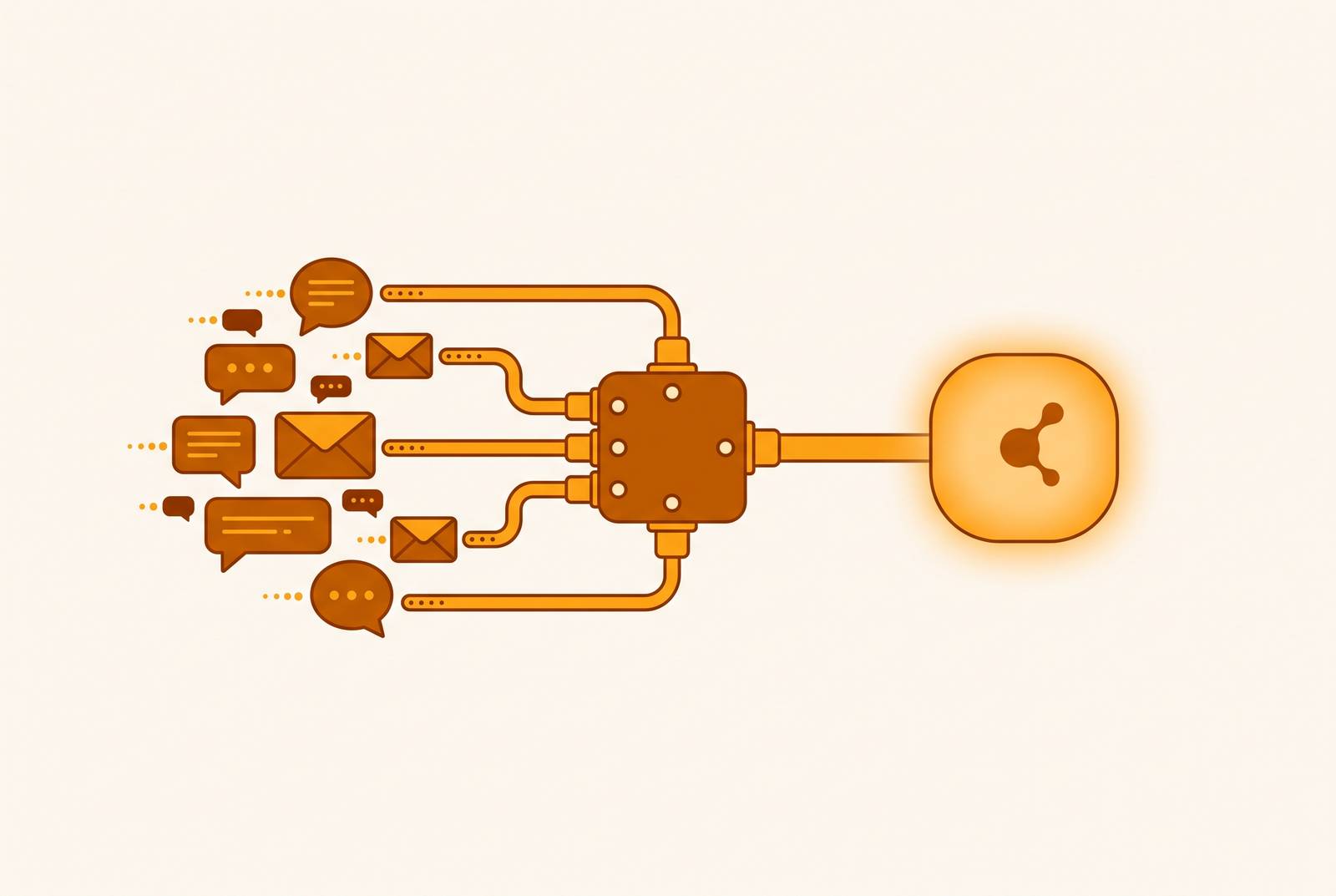
MCP connectors make cross-meeting search for past decisions and commitments available inside AI assistants by bridging meeting storage and the tools that need its context. To find a decision from three months ago, an assistant needs access to the relevant meeting history. Tracking follow-through also requires evidence from later conversations, because a recorded action item establishes a commitment.
The structural gap that MCP is designed to close
An AI coding agent writes a technical spec that contradicts the product direction agreed in yesterday’s planning call. The agent never saw the transcript where the priorities changed, so it works from incomplete context and misses the team’s decision. A better prompt cannot give the assistant information it cannot reach. The failure sits at the boundary between two systems, namely the meeting tool that holds the record and the assistant that generates the work.
Without a shared data layer, teams move text across that boundary by copying the transcript into a chat window before each session. That workaround is manual and inconsistent, and its usefulness depends on someone remembering which conversation matters. Meeting intelligence platforms such as Circleback capture and structure meeting data so downstream tools can use it. MCP supplies the connection that makes those records available when an assistant needs them. With structured capture and protocol-based retrieval, teams no longer need to export each conversation on its own.
What MCP is and how the client-server model works
MCP is an open, vendor-neutral standard through which AI applications discover and call tools exposed by external servers. Anthropic introduced it in November 2024 and donated it to the Agentic AI Foundation, a directed fund under the Linux Foundation, in December 2025. The standard replaces bespoke point-to-point integrations with a common protocol. An MCP-compatible host can therefore communicate with a compatible server without custom glue code for each pairing.
The architecture has three layers, which are the host application, the embedded MCP client, and the MCP server. The host is the application a person uses, including Claude, ChatGPT, Cursor, or VS Code Copilot. Its client manages server connections and sends structured JSON-RPC requests. The server is a lightweight program that exposes the data source’s resources and tools, allowing the assistant to retrieve transcripts, summaries, and action items. The server provides the service, while the connector is the client-side integration layer that handles communication, authentication, and response parsing.
How do you find a decision made in a meeting three months ago?
Finding an old decision is often difficult because the person asking remembers the subject but not the meeting. The discussion they need may be spread across product planning, engineering standups, and security reviews. To search records one at a time, that person must first find the conversation. Cross-meeting retrieval reverses the process by using the question to locate the evidence across the available history.
Meetings are a demanding test of this capability because they contain more than reported outcomes. They hold the reasons behind decisions, approaches that were abandoned, and promises made to customers. An answer about authentication can therefore require context from several calls. Circleback captures meeting notes, action items, and insights that give this retrieval layer structured material to work with. Its official support page lists ReadMeetings as returning notes, private notes, attendees, action items, insights, tags, and duration, with no separate data type for decisions. That distinction matters because MCP changes access to the record while leaving the underlying record’s precision and completeness unchanged.
How the data flows when an AI agent queries meeting context
When a user asks Claude to summarize last week’s sprint planning call, the request goes through five stages. First, the host receives the request in natural language. Second, its embedded MCP client identifies the registered server and sends a structured tool-call request. Third, the server authenticates the request through OAuth and queries the meeting database for matching content. Fourth, it returns matching transcripts as structured, timestamped text. Fifth, the agent reasons over that material and produces a response grounded in the retrieved conversation.
The third stage is where the quality of the meeting system becomes decisive. With a source such as Circleback, structured notes, action items, and insights give the agent labeled information. Where transcripts are returned, speaker labels and timestamps preserve who said what and when. The assistant receives text it can process, and the protocol cannot repair a statement that the source captured incorrectly.
Read-only versus bidirectional MCP and their workflow consequences
Read-only access lets an assistant query transcripts, summaries, and action items but make no changes to the meeting platform. It covers common requests about past commitments and planning discussions. Bidirectional access extends the workflow by allowing external tools to trigger actions inside the meeting platform, such as creating an agenda. It can also let the meeting tool pull external context from email, CRM systems, and documents into its own search. These are different operating models.
Coding agents and research workflows usually need read access to a wide range of past meetings. Product or sales teams automating follow-ups may also need write-back, which brings more permissions, deployment overhead, and failure modes. Circleback’s MCP connector exposes meeting notes, action items, and insights to hosts including Claude, ChatGPT, and Cursor, making it a concrete option for retrieval. Its broader workflow integrations should not be treated as proof of MCP write-back capabilities. Community-built alternatives include a Zoom transcript MCP server that reads cloud recordings and Meeting-BaaS, which abstracts multiple meeting providers into one API. Both need self-hosting and upkeep, so teams must run them as well as choose which records to expose.
Per-user versus org-wide MCP servers and the scope of access
A connector’s search boundary determines which questions it can answer. A per-user server exposes the authenticated user’s meeting history, so it cannot retrieve a security discussion that falls outside that history. An org-wide server can make meetings from across teams available, including calls the person asking did not attend. That wider scope enables cross-functional retrieval rather than merely making personal notes easier to search.
A developer’s agent may need access to organizational context to answer a question about authentication completely. The engineering standup may describe implementation work, while product planning and security reviews hold the constraints that govern it. A query limited to the standup cannot establish the full decision from that record alone. The same limit applies to commitments whose follow-up happens in another team’s meeting. Org-wide access expands the available evidence, but it does not mean every user should receive unrestricted access to every conversation.
Connecting meeting context to Claude, ChatGPT, and Cursor in practice
Setup follows a common pattern, which is to authenticate, register the server, and verify the connection. Spinach’s setup documentation shows how to set up Claude Desktop using claude_desktop_config.json. The file is at ~/Library/Application Support/Claude/ on Mac and %APPDATA%\Claude\ on Windows. The documented procedure adds a server block under mcpServers with the server URL and API key, then restarts Claude Desktop. A successful connection appears as a hammer icon in the chat input area.
That is a specific documented configuration for this connector. Circleback supports Claude, ChatGPT, and Cursor, but the supplied material does not provide its client-by-client registration steps. It also does not give Spinach’s detailed ChatGPT or Cursor configuration, so the Claude file procedure should not be presented as their setup flow. For connection failures, the notes identify two initial checks. An expired API key requires a valid credential, while a server URL missing its required path prefix needs correction. These checks help teams avoid mistaking a basic configuration problem for a limit on what the assistant can retrieve.
What the MCP roadmap means for teams building on meeting context now
The MCP roadmap distinguishes capabilities that have shipped from enterprise features still in progress. Streamable HTTP superseded the older HTTP/SSE transport in specification 2025-03-26. OAuth 2.1 was introduced in that specification and is described as substantially complete through 2026-07-28. Text and structured data streaming also form part of the available foundation for meeting retrieval. The 2026-07-28 specification shipped stateless Streamable HTTP, removing persistent-connection requirements that complicate server deployment.
Discovery and enterprise authorization are separate parts of the roadmap. The MCP Registry launched in preview in September 2025 as an open catalog and API for publicly available servers. Work is still underway on full SSO integration through the Enterprise-Managed Authorization / Cross-App Access extension. Multi-agent orchestration is less settled, with most production implementations still relying on custom scaffolding for agent handoffs. Teams building on meeting context should plan around the retrieval capabilities they can use now and treat standardized orchestration as still in development. For regulated deployments, the practical preparation is an access model that can accommodate finer permissions and audit requirements as those capabilities develop.
Security, data retention, and consent considerations when meeting data enters an AI context window
An authenticated connector is not an open pipe into transcript storage, but authentication does not settle every governance question. MCP uses OAuth 2.1 for scoped, token-based access. Teams should check that scopes allow only the access needed, that audit logs are turned on at the meeting tool layer, and that the server turns away unauthenticated clients. For org-wide deployments, those checks must account for sensitive conversations, including executive discussions, HR meetings, and client calls. Access controls need to exist before broader retrieval is enabled.
Retention requires its own review because source-system policies do not automatically govern the receiving assistant. Some meeting tools have zero-day retention options that delete recordings and transcripts after processing but keep summaries and action items. Those protections may not extend to what an MCP-connected assistant can see or cache. Teams should explicitly ask the meeting vendor whether ZDR applies to MCP query paths. A policy covering stored recordings alone does not answer that question.
Participant notification and consent also belong upstream of the connector. An MCP connection does not replace the requirement to notify participants that a meeting is being recorded and processed. Consent must be addressed before the transcript is created. The practical review is therefore about the whole path from capture to retrieval.
How to evaluate whether a meeting tool’s MCP implementation is production-ready
Production readiness begins with ownership and maintenance. Official implementations have vendor documentation and updates tied to the core product, while community servers depend on their maintainers and may not track specification changes. For partner implementations, teams also need to check the security review behind the integration. How hard it is to install matters too, because custom scripts, self-hosting, and manual exports take work both at setup and over time. A connector’s convenience is meaningful only if its operation remains supportable.
Raw transcripts alone offer a different retrieval surface from structured notes, action items, speaker-attributed decisions, and calendar context. The choice of per-user or org-wide access should fit the questions the team needs answered, and the choice of read-only or bidirectional behavior should fit the work the assistant needs to do. For commitment tracking, the key question is whether the available history contains both the original promise and later evidence of follow-through. Finding an action item is not equivalent to establishing that someone completed it.
Circleback offers a concrete example of structured resource coverage through its MCP connector and API, with meeting notes, action items, and insights available to Claude, ChatGPT, and Cursor. It also provides webhooks and a CLI for custom tools, while integrations with HubSpot, Salesforce, Attio, Linear, Asana, Slack, and Notion connect meeting context to existing workflows. Those capabilities establish useful integration surfaces that still require checks on token scoping, audit logging, retention, and access boundaries. The same criteria apply to every implementation. Teams that connect meeting data to their assistants now are building a compounding advantage, because each preserved conversation can become retrievable context for a future decision.